Do you ever copy something, then wish you could get it back after copying something else? Perhaps you regularly paste the same replies, addresses, code, links, or other content, and would like a faster way to find and use them.
The Mac clipboard normally remembers only the most recent thing you copied. That’s why I created Dejal Repaste, a fast, keyboard-driven clipboard history and snippets app.
Yes, there are already lots of other clipboard apps, and a number of snippet apps, but none worked exactly how I wanted. So once again, I wrote an app to scratch my own itch, and am releasing it in the hope that it’ll suit other people too.
Repaste is completely free!
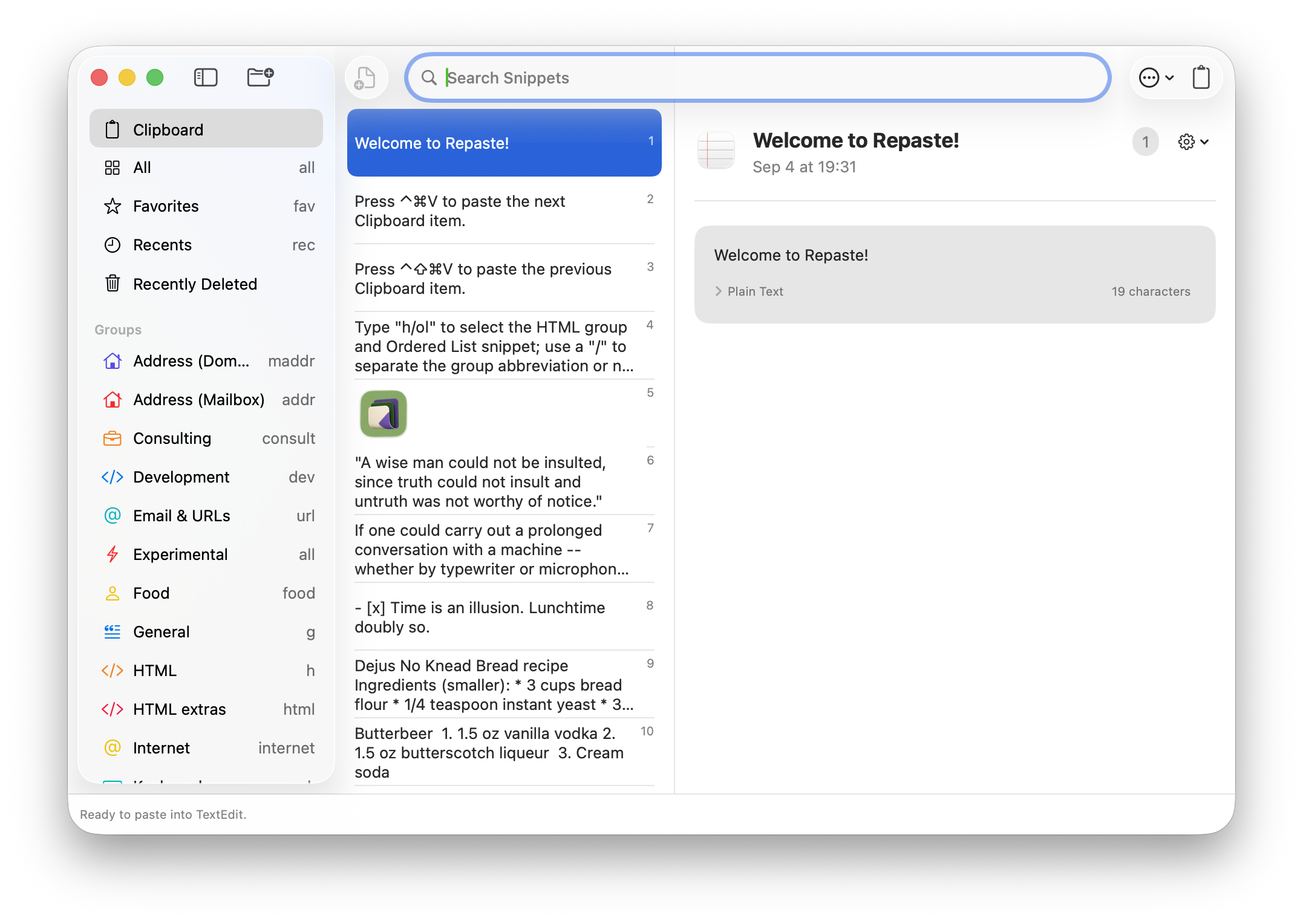
Find anything you copied
Repaste records your recent clipboard activity, so text, rich text, images, links, files, and other content remain available after you copy something new.
Press Command-Shift-V to show Repaste, then search or use the arrow keys to choose an item. Press Return to paste it into the app you were using.
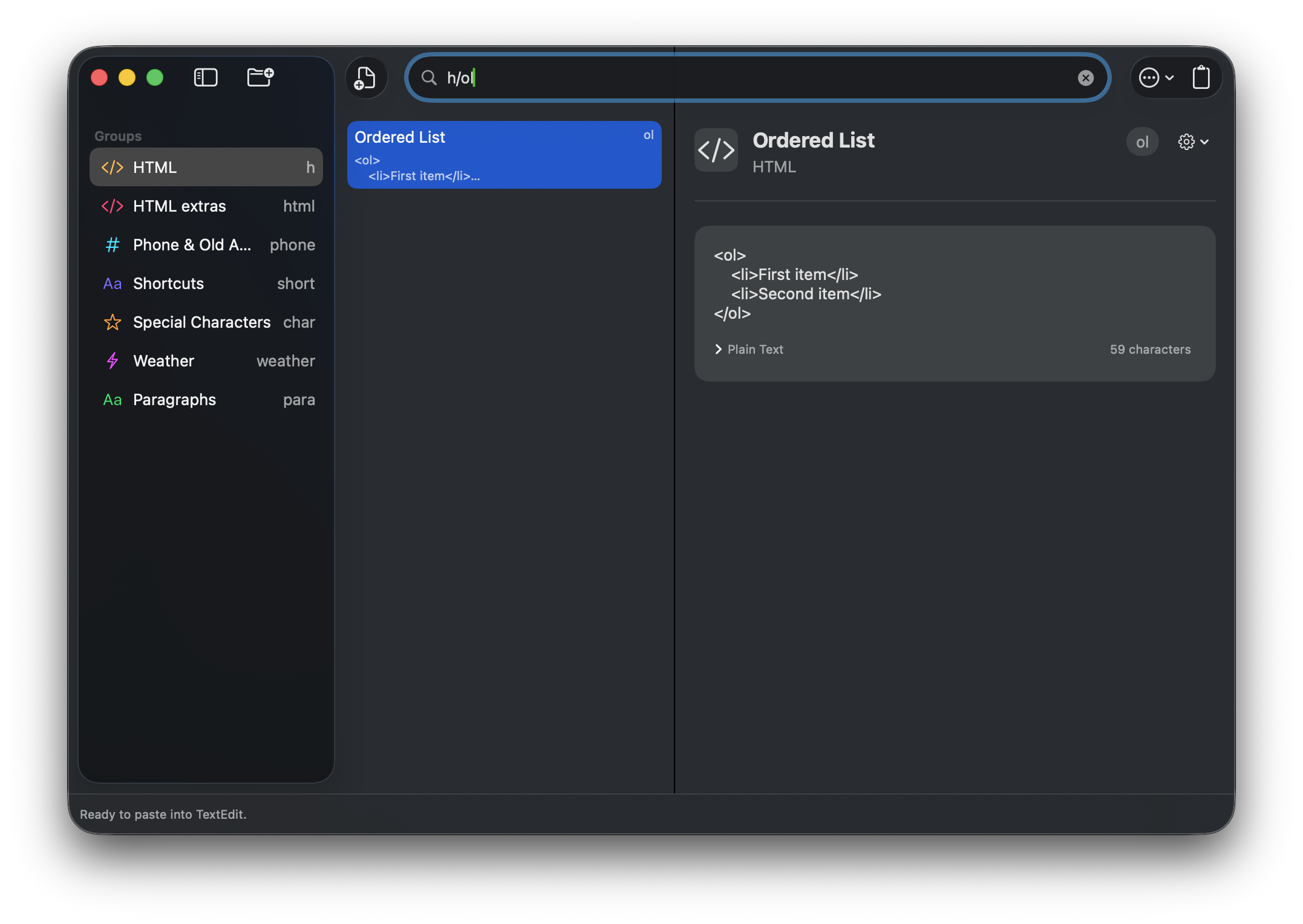
Clipboard entries are numbered by recency, so you can also type a number to quickly select one. You can search within the selected group, or type a group abbreviation, a slash, and a snippet search to choose both from the search field. For example, h/ol searches in the HTML group for the Ordered List snippet.
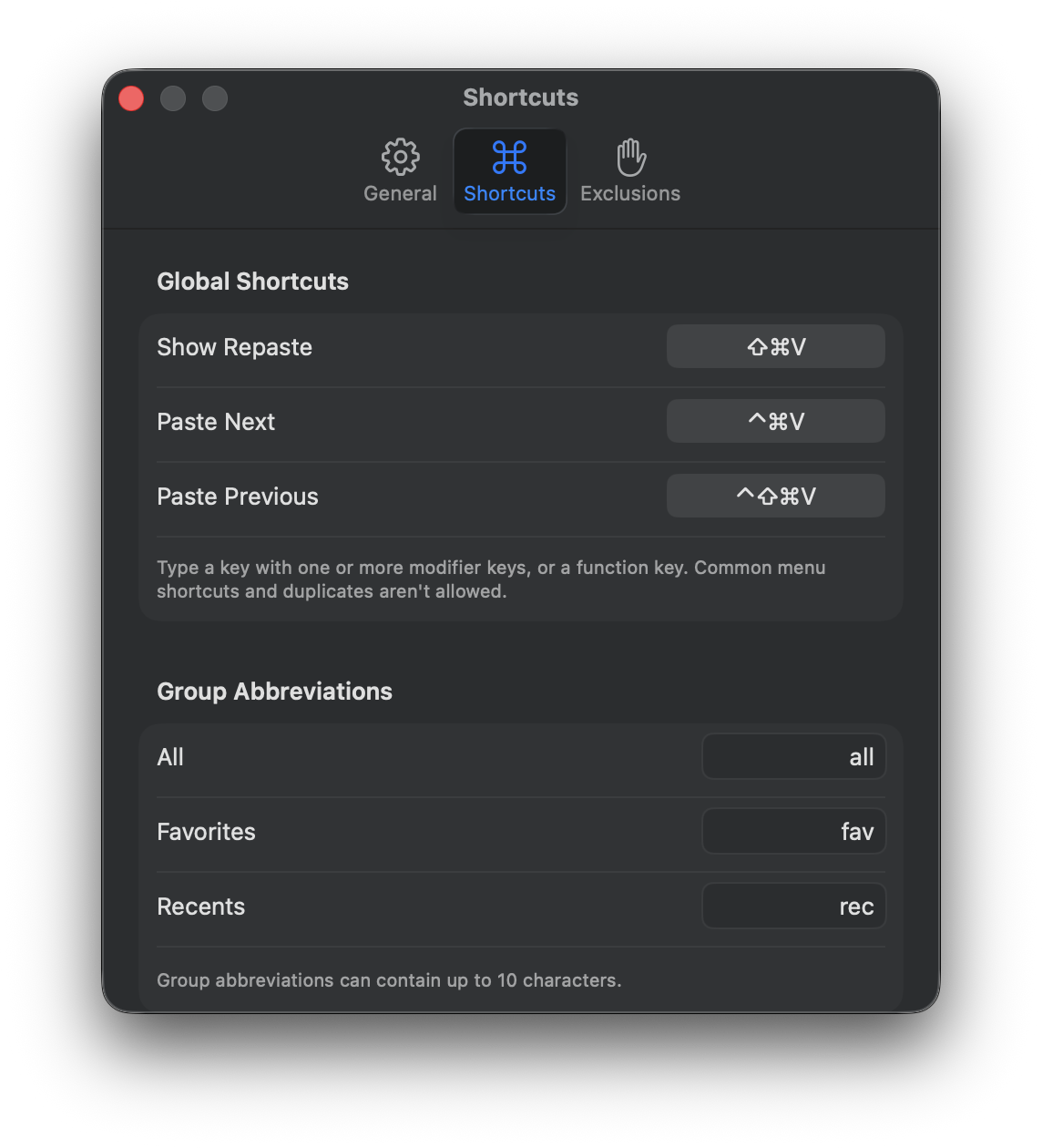
Dedicated Paste Next and Paste Previous shortcuts make it easy to work through several recent items without repeatedly opening Repaste.
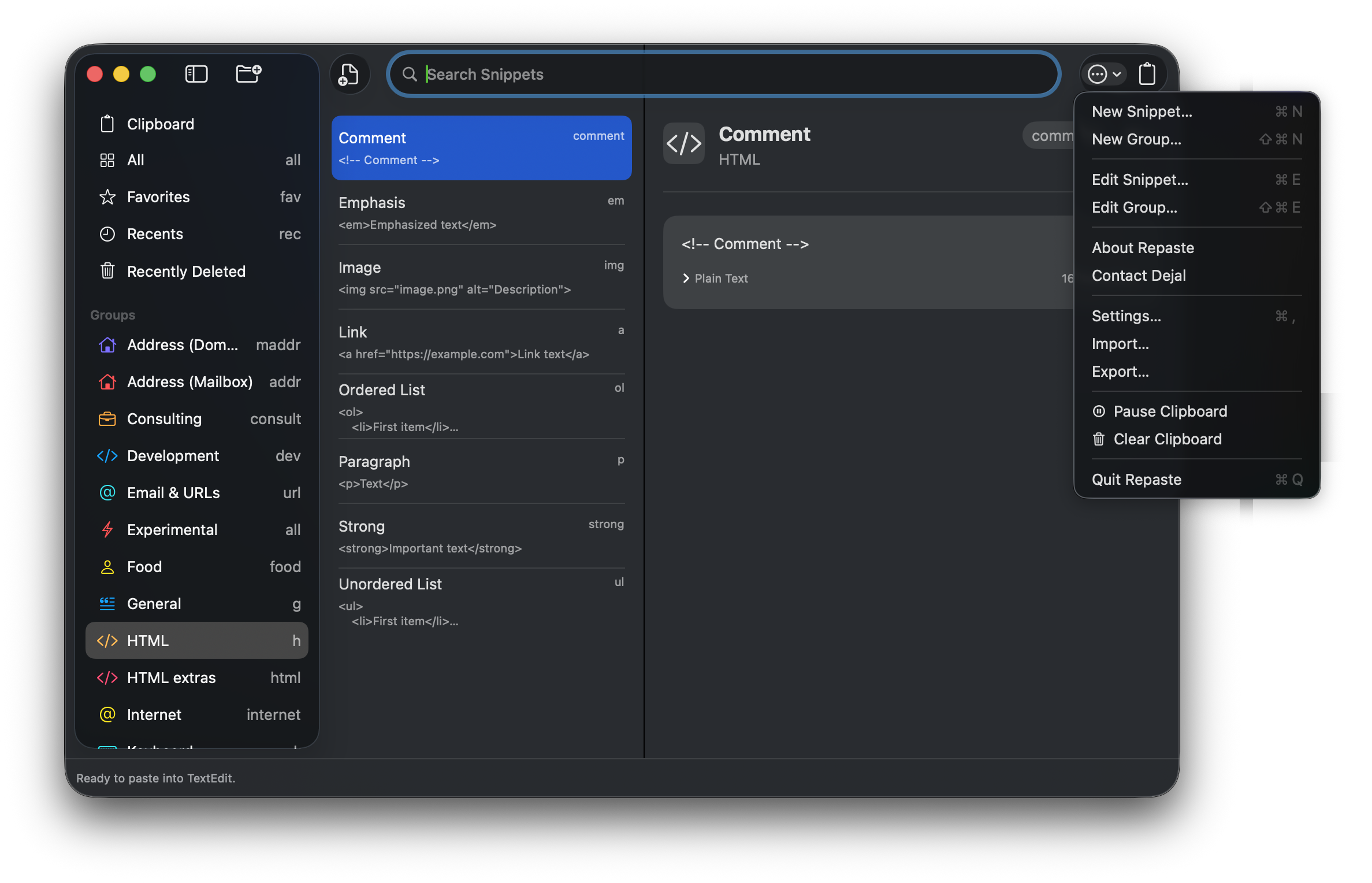
Save frequently used snippets
Useful content doesn’t have to disappear when it falls out of your clipboard history. You can save an entry as a reusable snippet, create snippets directly, and organize them into groups.
Snippets can have names and abbreviations, and Repaste includes Favorites, Recents, and Recently Deleted collections to help keep everything manageable. You can edit, duplicate, move, or delete snippets, drag them between groups, and undo most changes.
Repaste can also import snippets from Apple Text Replacements, TextExpander, Pastebot, Raycast, Alfred, Espanso, and common CSV or TSV files. You can review what was found before deciding what to add, and export snippets as a lossless Repaste Archive or portable CSV and JSON files.
Preserve the right format
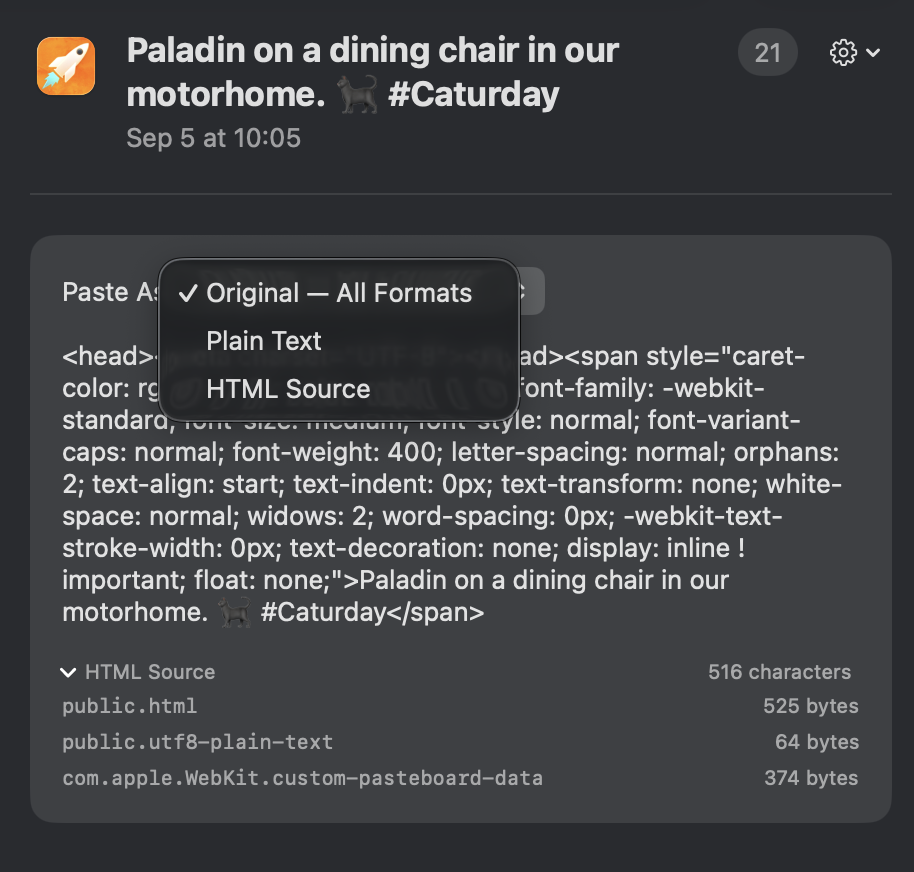
Clipboard content often provides several representations of the same item. For example, copied text might include rich text, HTML, and plain-text versions.
Repaste preserves those representations instead of flattening everything into plain text. Its preview shows what will be pasted and, when alternatives are available, lets you choose another format. Option-Return provides a quick way to paste using the alternate format.
Looking ahead
This first version focuses on making clipboard history, saved snippets, search, and pasting fast and dependable.
I have lots of ideas for where Repaste could go next. Possible future features include variables and transformations, composing output from several snippets or typed values, more built-in and downloadable collections, Shortcuts and extension support, and access to saved snippets on iPhone, iPad, and Apple Vision Pro.
Those plans will evolve based on how people use Repaste and what feedback they share, but the aim is to make it much more than a conventional clipboard manager without complicating everyday copying and pasting.
Private and under your control
Clipboard history can contain sensitive information, so Repaste keeps it locally on your Mac and doesn’t sync it.
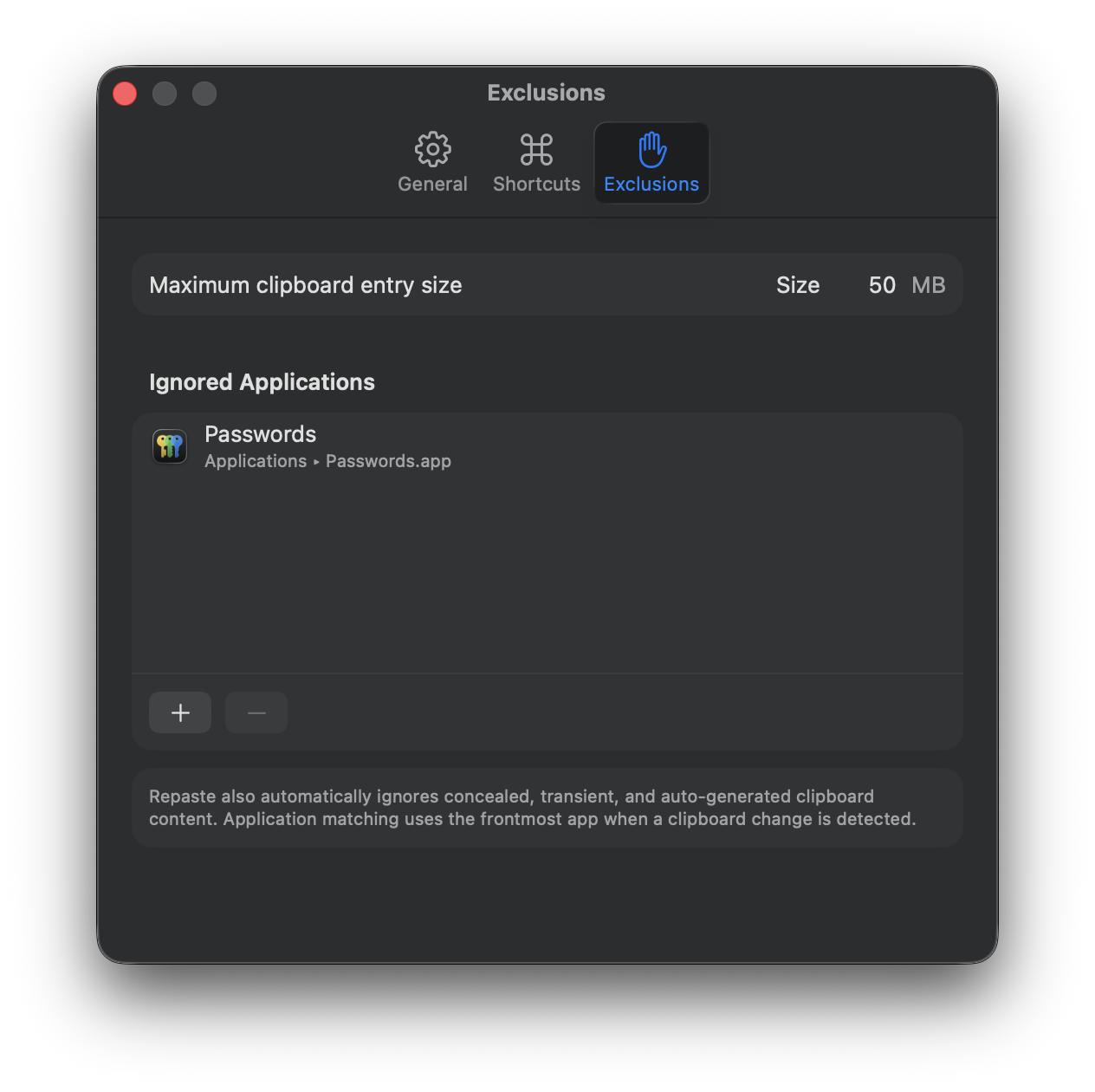
Known sensitive, concealed, and temporary clipboard content is automatically excluded. You can also exclude specific applications, limit the number and size of retained entries, pause recording, or clear the history whenever you like.
Repaste never includes clipboard or snippet content in analytics. Its anonymous first-party analytics contain only aggregate feature and configuration information, and can be turned off in Settings.
To paste directly into other apps, Repaste needs macOS Accessibility permission. Its Welcome guide explains why and helps you enable it.
Want to try it?
Repaste is available completely free on the Mac App Store. It requires macOS Tahoe 26.0 or later.