Do you ever click Skip before you’ve even thought about taking a break? Or postpone a break so many times that it might as well not have happened?
Time Out has a few options to help with that. You can give yourself a moment to reconsider, while still keeping some flexibility for when you really are busy.
Give yourself a few seconds
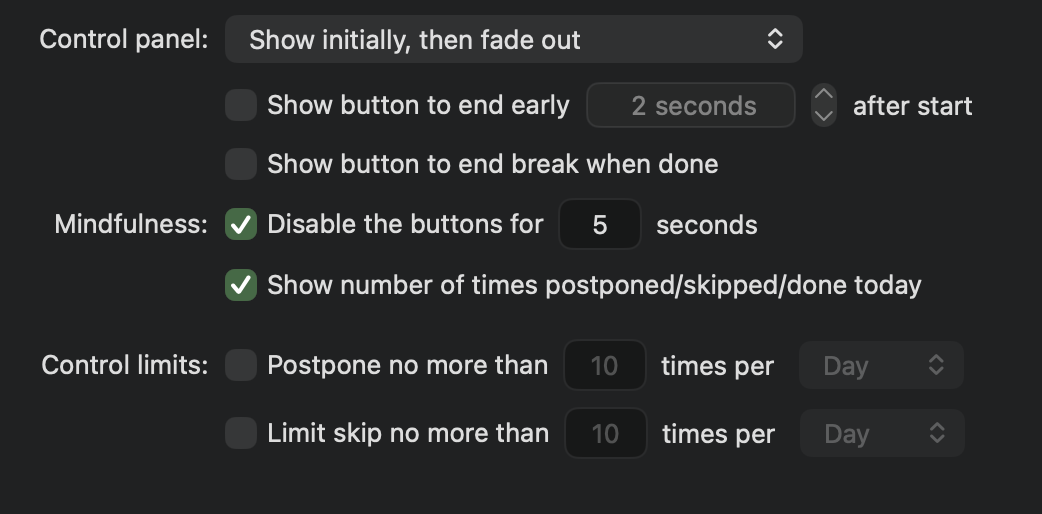
Select a break in Time Out’s sidebar, open its Controls page, and click Show More Options if needed.
Under Mindfulness, enable Disable the buttons for and choose a number of seconds. For example, try five seconds to give yourself a moment to finish a sentence and decide whether you actually need to postpone.
This delay applies to the Postpone and Skip buttons, and includes the time the break takes to fade in. If you want a noticeable pause after the break appears, allow for the fade-in time too.
Keep a little flexibility
In the Control limits section, you can limit postponing and skipping per break, per hour, or per day.
For example, allowing two postpones per break gives you a chance to finish something, without putting the same break off indefinitely. A daily skip limit can be useful if you want a few exceptions during a busy day.
See how you’re doing
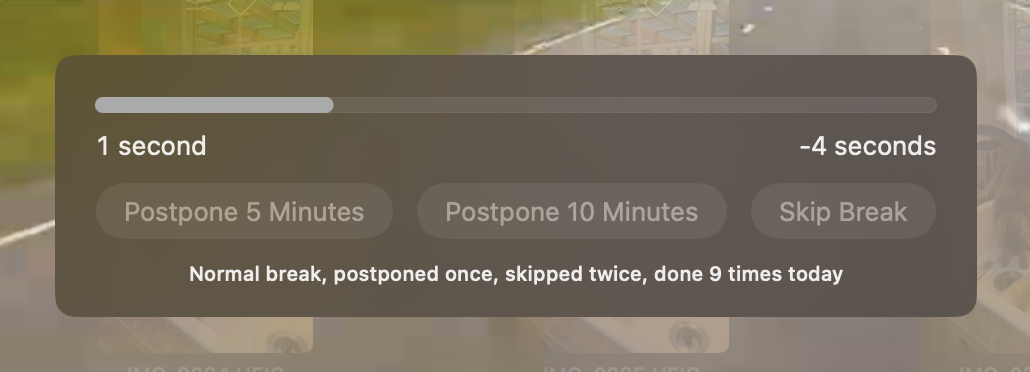
The Show number of times postponed/skipped/done today option adds counters below the break buttons. These can help you notice a pattern... perhaps your afternoon breaks are the ones you always skip.
These extra controls are premium features. You can try them to see what works for you.
Finally, check the schedule itself. If a break always arrives at an awkward time, a different interval or shorter duration might be more useful than stricter limits. Try one small adjustment, then see how it feels over a few working days.